

Prepare your support team before the peak hits
Use this playbook to stay stable through your largest support surge, instead of rebuilding your process at the last minute.

Black Friday has become a reliability test for support. In 2025, U.S. consumers spent $11.8 billion online on Black Friday, a 9.26% jump from the previous year. Cyber Monday followed with $14.25 billion, and shoppers moved about $16 million per minute at peak. Across Cyber Week, online sales reached $44.2 billion.
That spend always comes with one side effect: the same support questions hitting at once. “Where is my order?” “Is this in stock?” “Can I return this?” “Do you still have the blue option?” Customer inquiry volumes spike 200-250% during peak season, with some teams seeing up to 800% increases on the busiest days.
The Scale of Black Friday: By the Numbers
$44.2B
Total Cyber Week online spend in 2025 - up 7.7% year-over-year (Digital Commerce 360)
$16M / min
Peak Cyber Monday spending rate during evening hours (Adobe)
+42%
Surge in chatbot usage during holiday shopping vs. the prior month (SparkCo)
800%
Peak support volume increase reported by some e-commerce businesses on Black Friday (Neople)
The Real Cost of Being Unprepared
When support queues overflow, the damage is immediate and measurable.
According to research from eDesk, 47% of customers will abandon their purchase if they do not receive a response within 30 minutes. That number climbs to 60% after one hour. During Black Friday - when shoppers are comparing deals across multiple stores in real time - even a 15-minute delay can send them straight to your competitor.
And the pain does not stop at lost sales. One major e-commerce company saw a 40% decrease in customer retention directly linked to slow response times during a peak sale event. Customers who have a bad support experience during the holidays do not just leave - they tell others.

The Old Way vs. The Smart Way
Many teams handle peak season by adding temporary staff, paying overtime, or pulling people from other roles. It can work, but the cost is high and service quality is often inconsistent during the busiest hours.
Manual / Temp Hiring
The Old WayAI-Assisted (Automation)
The Smart Way
The numbers back this up. One major retailer cut seasonal hires by over 50% by deploying AI for self-service during the holidays, saving 30% in seasonal staffing costs. Meanwhile, Juniper Research projects AI chatbots will save businesses over $8 billion annually by 2026 - primarily from reduced staffing needs and faster resolutions.
Your 4-Week Black Friday Prep Timeline
Use this countdown as your operating rhythm, with clear actions and clear owners each week.
Foundation
4 Weeks BeforeAudit your product catalog. Ensure every product has a complete description, accurate price, correct stock status, and clear images. Automated product sync keeps inventory current during sales.
Review your top-selling items and any planned Black Friday bundles or discounts. Set up automated sync schedules so your catalog refreshes at least every hour.
Verify that product recommendations surface sale items correctly. Increase message capacity early if campaign volume is expected to run above normal levels.
Chatbot Readiness
3 Weeks BeforeTrain and test your chatbot. Feed your chatbot Black Friday-specific FAQs: return policies during sale periods, shipping cutoff dates, bundle deals, and gift card policies.
Escalation Rules
2 Weeks BeforeDefine your human handoff strategy. Route payment issues, warranty claims, and angry customers to live agents. Let the chatbot handle product questions and order status checks.
Set up after-hours routing so international shoppers in different time zones always get a response via the human handoff path.
Identify baseline metrics. Prepare escalation alerts. Plan your human team’s shift schedule around expected peak hours (10 AM - 2 PM & 8 PM - 10 PM).
Analytics & Monitoring
1 Week BeforeSet up your war-room dashboard. Configure real-time monitoring for conversation volume, resolution rates, handoff rates, and customer satisfaction.
Execute & Monitor
Day Of EventGo live with confidence. Your chatbot handles the flood while your team focuses on the exceptions. Monitor the dashboard for spikes in handoff volume.
Push real-time inventory updates as items sell out. Post-event, pull your analytics to see what worked and what to improve for Cyber Monday.
Do not skip the product sync check
The number one cause of bad chatbot experiences during peak sales is stale product data. If your chatbot tells a customer that a sold-out item is available, or quotes yesterday’s price on a flash deal, you have created a worse experience than no chatbot at all. Verify your sync frequency, test with a few products, and monitor the sync log in the hours before your sale goes live.
Five Critical Preparation Areas
Beyond the timeline, these are the domains that separate stores that thrive during peak events from those that merely survive.
Capacity Planning
Estimate your expected traffic based on last year’s data plus growth rate. Shopify merchants saw a 24% sales increase YoY in 2025. Plan for 3x your estimate - it is better to over-prepare than to scramble. With a mature AI setup, capacity is no longer a pure staffing problem: the bot scales automatically.
Product Sync Freshness
During normal operations, hourly syncs are fine. During Black Friday, you want near-real-time. Configure your sync window to 15-30 minutes so that flash sale prices, stock levels, and new bundles appear instantly in chat responses. Stale data is the enemy of trust.
Escalation Rules
Fine-tune your handoff triggers. During peak events, the goal is to let the bot resolve 80%+ of queries (the IBM-validated benchmark for routine inquiries handled by chatbots). Reserve human agents for payment disputes, frustrated repeat contacts, and high-value orders.
Real-Time Analytics
Track conversation volume, resolution rate, average response time, and customer satisfaction in real time. Set alerts for anomalies. During Black Friday 2025, average handling times hit 15-minute peaks - a 25% increase over non-holiday averages. Know when your operation is stressed before customers do.
International Readiness
Black Friday is global. Singles’ Day, Boxing Day, and Cyber Monday attract shoppers across time zones and languages. Multilingual support means you do not need to hire native-speaking temps for each market. Configure greetings and sale messaging in every language your store supports.
Uptime and Reliability
Your chatbot cannot help if it is down. A 99.9% uptime SLA means the service stays operational even when your website is under peak load. Test your widget integration under high traffic conditions before the event. Have a fallback plan (like a visible email or phone number) just in case.
Monitor in Real Time, Not After the Fact
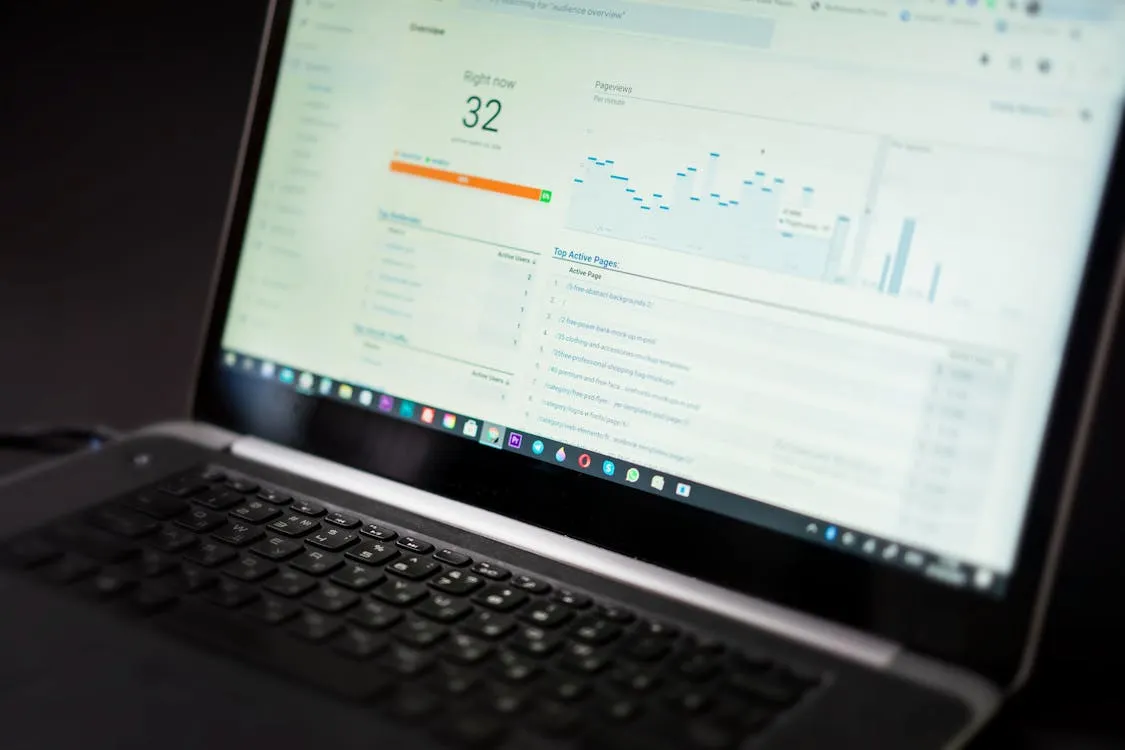
During Black Friday 2025, contact volume rose 42% in December versus November, and chat and messaging channels comprised 40% of all interactions - up 12 percentage points from the prior year. That shift toward messaging means your analytics need to cover chat, not just email and phone.
Set up a live dashboard tracking these metrics throughout the event:
- Conversation volume - total chats opened per hour
- Bot resolution rate - percentage resolved without human handoff
- Handoff queue depth - how many customers are waiting for a human
- Average response time - should stay under 5 seconds for bot, under 2 minutes for humans
- Customer satisfaction - post-chat ratings in real time
- Top query topics - spot trending issues (shipping delays, coupon code errors) before they snowball
The retailers who win peak season are the ones who can react in minutes, not hours.
Beyond Black Friday: Your Year-Round Peak Calendar
Black Friday and Cyber Monday get the headlines, but they are not the only events that can overwhelm your support team. Smart e-commerce operators prepare for the full calendar:
- Singles’ Day (November 11) - The world’s largest shopping event by volume, massive for stores with an Asian customer base
- Black Friday (late November) - The traditional kick-off to holiday shopping
- Cyber Monday (the Monday after) - Increasingly the biggest single online shopping day, hitting $14.25B in 2025
- Boxing Day (December 26) - Huge in the UK, Canada, and Australia
- January Sales - Post-holiday clearance drives a second wave of support queries about returns, exchanges, and gift card redemptions
- Flash sales and product launches - Any surprise event that drives a traffic spike
The advantage of AI support automation is that it does not care which event is causing the surge. It handles 10x volume the same way it handles 1x: instantly, accurately, and without overtime pay. You configure it once, keep the product data fresh, and it scales on demand.
Frequently Asked Questions
How early should I start preparing my chatbot for Black Friday?
At least 4 weeks before the event. This gives you time to audit your product catalog, update your FAQ content, configure escalation rules, test conversations, and set up monitoring dashboards. If you are setting up a chatbot for the first time, start 6-8 weeks early so you have time to train it on your full product catalog and iron out any integration issues.
Can an AI chatbot really replace temporary support hires?
For the majority of peak-season queries, yes. IBM research shows chatbots can handle up to 80% of routine inquiries. During the 2024 holiday season, one retailer’s AI agents handled the equivalent workload of nearly 50 human agents. That said, you should always keep human agents available for complex issues - the goal is not zero humans, but rather letting humans focus on the 20% of queries that truly need a personal touch.
What happens if the chatbot cannot answer a question during a surge?
The human handoff path routes unresolved queries to your live support team with full conversation context. The customer does not have to repeat themselves, and the agent sees exactly what was already discussed. You can configure handoff triggers based on topic, sentiment, or the number of failed resolution attempts.
How do I keep product data accurate during flash sales?
Automated product sync can pull fresh data from your store at configurable intervals. During peak events, increase your sync frequency to every 15-30 minutes. This keeps sold-out items, updated prices, and new bundles reflected in chatbot responses within a short window. You can also trigger manual syncs if you make sudden changes to your catalog.
Can this support stack handle Black Friday traffic levels?
A mature AI support stack with a business-tier plan should offer 99.9% uptime and capacity for 100K+ messages per month. The infrastructure is built to scale automatically during traffic spikes, so you avoid degraded performance when conversation volume suddenly increases. We recommend running a load test with your widget before the event to verify everything works smoothly.
Prepare Before November
Start now: every week you delay is a week less for testing, training, and optimizing your support automation.
Free tiers often let you import up to 500 products and handle 500 messages per month - more than enough to test before peak season. Get started today, so when the surge comes, you are ready.